AI Photos for Personal Branding
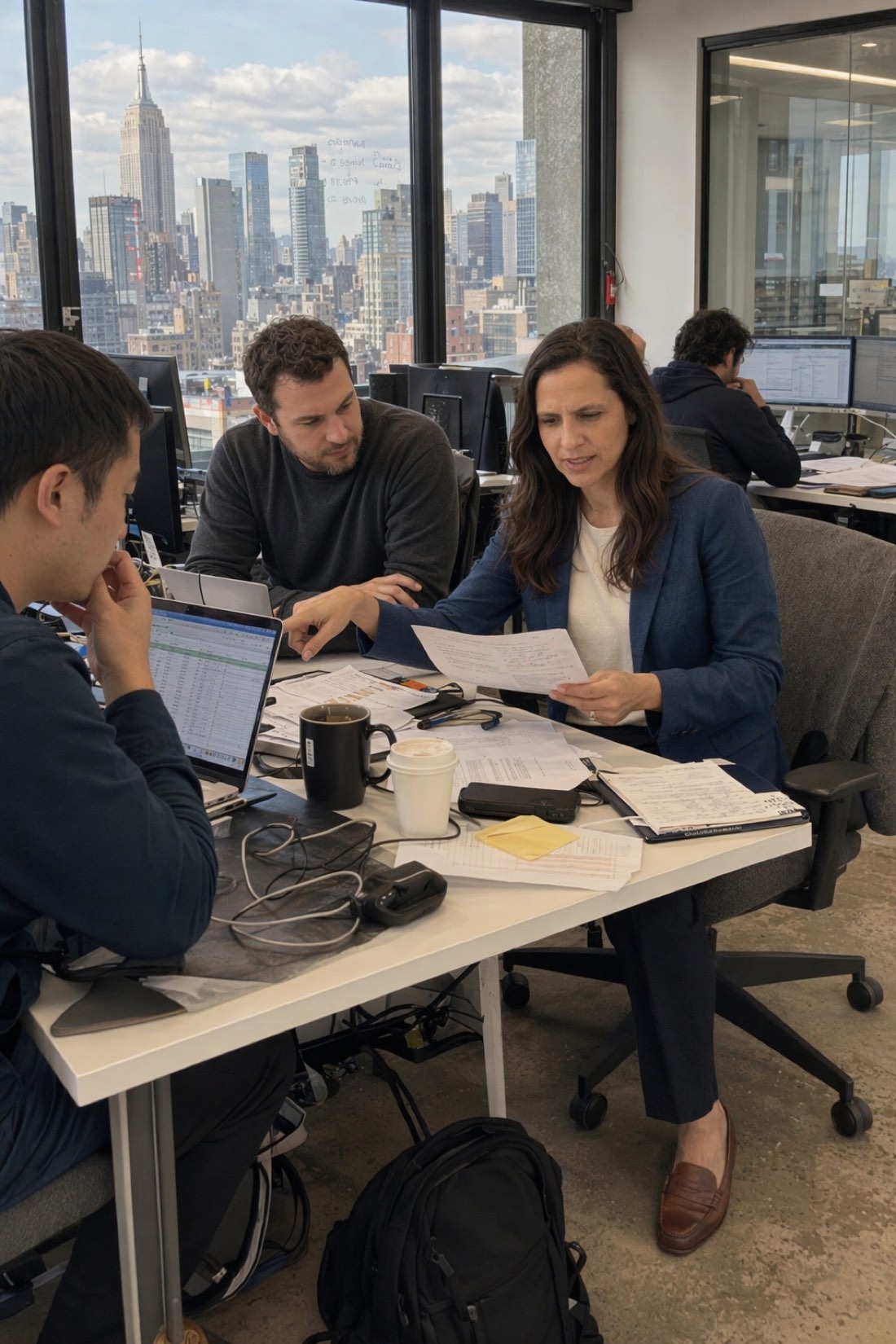
AI photos for personal branding work best when they show you somewhere, doing something — not when they try to imitate a studio portrait. A profile picture of a person in a real place reads as a person. A cropped, evenly-lit head against a neutral background reads as a corporate placeholder, and everybody has seen a thousand of them.
This is about what branding photos actually have to do, which styles are worth covering, what to upload, and — honestly — where this approach stops being the right tool.
What a branding photo has to do
It has about half a second. Before anyone reads your headline, they have decided whether you look like someone who does the thing you say you do.
Three things carry that:
Recognition. It has to be you. Not a flattering approximation — you, the person who turns up to the meeting. Anything else is a problem waiting to happen the first time you meet someone who knew the photo first.
Context. The place says what you do more efficiently than your bio. A workshop, a kitchen, a lecture room, a building site, a desk with real mess on it. Background is information.
Consistency. The same face across LinkedIn, a conference bio, a podcast guest slot and a company page. Different photos from different years, at different weights and haircuts, make a person harder to remember.
The styles worth covering
You do not need many. Four or five photographs, used deliberately, outperform twenty.
One clear, close-ish photo. The profile picture. Face unambiguous, looking at the camera, not cropped so tight that your shoulders vanish. This is the one that does most of the work.
One in your working environment. Whatever your version of a workbench is. This is the photo that says what you do without a caption.
One full-length. For conference bios, speaker pages, anywhere a small square is not the format. Also the one people use when they need "a picture of you" and you have nothing.
One or two doing something. Talking, presenting, holding the thing you make. Hands occupied, attention elsewhere.
That is a usable set. Past that you are collecting rather than choosing.
Match the setting to the work
The most common mistake is borrowing someone else's visual language. A developer photographed like an estate agent looks like neither.
Think about where your work actually happens and choose scenes that match. If you consult for manufacturers, an industrial setting says more than a café. If you coach people, somewhere with two chairs says more than a skyline. If you work from a spare room, a domestic setting is more honest and more memorable than pretending to a corner office.
Clothes follow the same rule: what you would actually wear to do the work, not one notch smarter.
Where this is not the right tool
Worth being direct about, because it saves you a disappointment.
CMeIn produces candid, environmental photographs — you in a place, at a normal distance, with the imperfection of a real camera. That is deliberate, and it is why the photos hold up.
What it does not produce is a formal studio portrait: evenly lit, neutral backdrop, shoulders-up, the corporate standard. If your employer requires that specific format, or you are in a field where the convention is strict — some legal, financial and medical directories, certain corporate templates — this is not the tool for it. Book the studio.
For everything else, a photograph of a person somewhere real tends to be the better choice anyway, and increasingly it is what people expect.
What to upload
The reference photos decide the result almost entirely.
Eight to fifteen ordinary photos. Clear, recent, your face from several angles.
Waist-up rather than close-up. The generator needs the shape of your head and shoulders.
Even daylight. Near a window, or outside on an overcast day. Flat light shows your face honestly; harsh side-light hides half of it.
Recent. If your hair or weight has changed, old photos pull the result toward the person you used to be.
A couple of full-length shots if you want full-length results with your real proportions.
Not selfies. Arm's length distorts a face — nose larger, ears receding — and it is the single most common reason a result does not look like someone. Photos taken by someone else, a few steps back, are far better.
No sunglasses, hats, heavy filters, or group shots where your face is small. Each removes information you are asking the tool to reproduce.
Keeping it honest
Two practical rules.
Do not let the photo out-perform you. The point of un-idealised output is that nothing is waiting to be discovered. The person who arrives at the meeting is the person in the picture.
Say so if asked. Nobody reasonable objects to how a photograph was made. People do object to being misled about what someone looks like — which is a different thing, and the thing this approach avoids by design.
If you are using the photos commercially in a market with disclosure rules around synthetic media, follow them.
Building the set
Choose the settings first, from where your work actually happens. Upload your references. Generate a set rather than a single image, then cut hard: keep the ones where someone who knows you would recognise you instantly, and discard the rest regardless of how good the scene looks.
Then use them consistently. The same face everywhere is worth more than four excellent photographs that look like four different people.
See examples of real output, check pricing, or start from the photos on your phone. For the full process rather than the branding-specific version, read How to Create AI Photos of Yourself.