How to Create AI Photos of Yourself
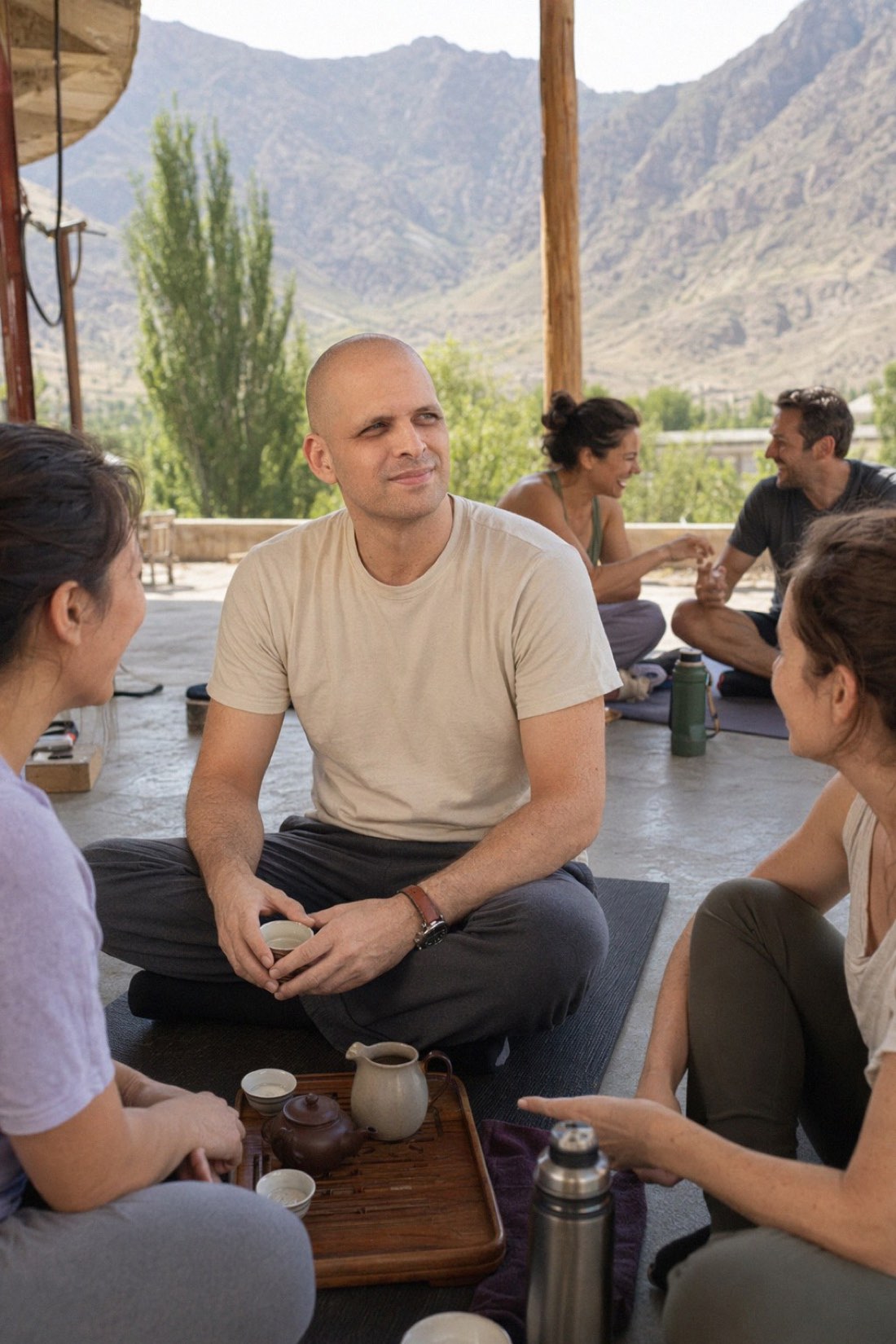
If you want AI photos of yourself that actually look like you, the process is short: upload a handful of ordinary phone photos of your face, choose the scenes you want to appear in, and generate. Everything that decides whether the result is any good happens in that first step — the photos you upload are the identity, and the scene is only the wardrobe.
This guide covers what to upload, what the generator reads from it, what separates a believable result from an obviously fake one, and where people actually use these photos.
What "AI photos of yourself" actually means
You are not editing an existing photo. You are giving a model enough examples of your face that it can place you somewhere you have never been — a street in another city, a table outside a café, a trail at the end of the afternoon — and keep you recognisable while it does.
That is a different thing from a filter, and a different thing from a touch-up. Nothing is being smoothed or corrected. The goal is a photo that looks like someone took it of you, on an ordinary day, with an ordinary camera.
What you need before you start
A handful of photos of yourself — around eight to fifteen. They do not need to be good photographs. They need to be clear.
What works:
- Waist-up, not close-up. The generator needs to see the shape of your head and shoulders, not just your features filling the frame.
- A few different angles. Straight on, slightly turned, maybe one looking away. One angle repeated fifteen times teaches it one angle.
- Ordinary daylight. Near a window, outdoors on an overcast day. Flat, even light shows your face honestly.
- Recent photos. If your hair or your weight has changed since, old photos pull the result toward the old you.
- A couple of standing, full-length shots if you want full-body results with correct proportions.
What hurts:
- Selfies and mirror selfies. Shot at arm's length, which distorts your proportions — the nose grows, the ears vanish. The single most common reason a result does not look like someone.
- Heavy filters and beauty modes. They have already changed your face before the generator sees it, so it learns the filtered version.
- Sunglasses, hats, anything covering your face. You are hiding the information you are asking it to reproduce.
- Blurry or very dark photos. It cannot recover detail that was never captured.
- Group photos where your face is small. Crop in first, or use something else.
Fewer good photos beat more bad ones. Ten clear ones will outperform forty where half are squinting into the sun.
The steps
- Upload your reference photos. Follow the guidance above — this is where the result is decided.
- Pick your scenes. A café in Lisbon, a mountain path, a bookshop, a kitchen on a Sunday. The catalogue is built around places people actually go.
- Generate. You get a set, not a single image.
- Curate honestly. Keep the ones that look like you. Discard the rest without sentiment — a set of six photos that are unmistakably you beats twenty where three are a stranger.
What separates good results from bad ones
Likeness is the whole game
A photo that is beautifully lit, perfectly composed, and not quite you is worthless. Every judgement you make should run through one test: would someone who knows you recognise you instantly, without thinking about it?
This is why the reference photos matter more than the scene choice. The scene is a setting you can swap. Your face is the thing that cannot be faked into place.
Candid beats polished
The thing that makes a photo read as "AI" is almost never the setting — it is the polish. Skin without pores. Light that could not exist in that room. A subject who looks sharper and cleaner than everything around them, as though they were cut out and pasted in.
CMeIn is deliberately built the other way. The photos keep ordinary skin texture, ordinary light, and the slight imperfection of a real camera in a real place. Your actual features, your actual proportions, your natural asymmetry. It is not trying to produce a flattering version of you — it is trying to produce a believable one, and that is what stops the photo announcing itself.
A scene is not a backdrop
There is a difference between standing in front of a picture of a market and being in a market. In a real photo, the place touches the person: the light falls from where the windows are, the colour of the walls shows up on their skin, they are partly behind a table rather than floating in front of one.
When you look at a result, check whether the place and the person share the same light. If the person looks lit from the left and the room is lit from the right, that is the tell.
Variety that looks like a life
One photo is not very useful. What you want is a set that looks like it came from several different days — different clothes, different places, different weather, a couple of them not looking at the camera at all.
That is also what the platforms you are posting to are rewarding. A profile with six photos that all look like the same afternoon reads as thin, whoever took them.
Where people use them
Dating apps. The most common use, and the one with the clearest rules: lead with a photo where your face is unambiguous, include at least one full-length, include one where you are doing something. Candid photos outperform posed ones here by a wide margin — the posed ones read as trying, and trying reads as effort you had to make.
Instagram and social. Feeds reward the look of real life. The strength here is filling gaps — the trip you did not photograph, the season you have no pictures from — not manufacturing a life you do not have.
Work and personal branding. Consistency across your profiles, in settings that match what you actually do. Note that CMeIn is not a studio-portrait tool: it produces candid, environmental photos, which suit a profile picture that looks like a person rather than a corporate placeholder — but if you specifically want a formal studio headshot on a grey background, this is not the tool for that.
Replacing a shoot you were not going to book. A photographer is a few hundred dollars and a scheduled afternoon, for one location, one outfit, one weather. Most people do not book one, and so go on using a photo from four years ago. See pricing for what a set costs here.
Common mistakes
- Uploading only selfies. Covered above, and worth repeating, because it is the number one cause of "it doesn't look like me."
- Judging on the first image. Generation produces a set. Look at the set.
- Keeping a photo because the scene is beautiful. If it is not you, it is not useful.
- Using photos from several years and several haircuts. Pick one current version of yourself.
- Expecting improvement. It keeps your face, including the parts you would have edited. That is the feature — it is why the photos hold up when you meet someone.
Be honest about it
If someone asks whether a photo is AI, say so. The point of a believable photo is not deception — it is that you have a current, decent picture of yourself in a setting you like, instead of a blurry one from a wedding in 2021. People mind being misled about what you look like. They do not generally mind how the photo was made.
See examples of real results, or start with the photos already on your phone.