Best Artificial Intelligence Image Generator Compared

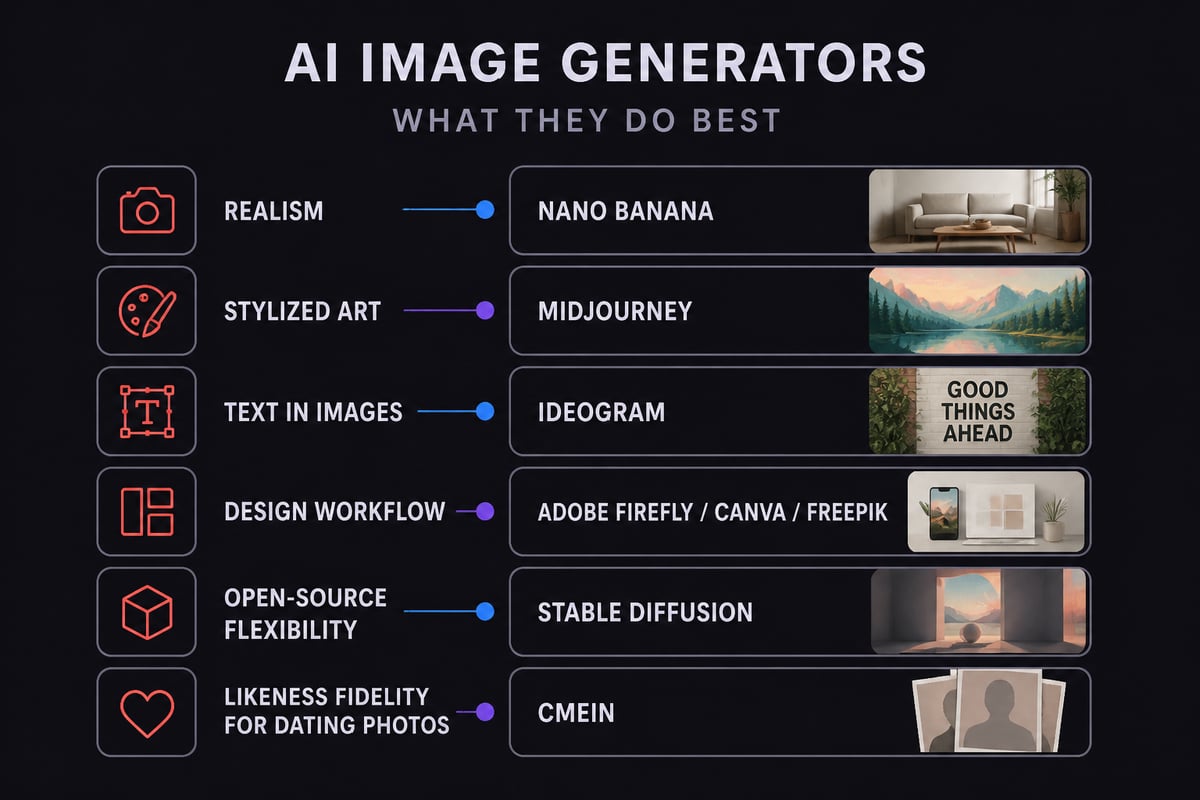
The best artificial intelligence image generator depends on what you need the image to do: general tools such as Midjourney, Adobe Firefly and Nano Banana lead for art, design and creative range, while a likeness-focused service is the safer pick if the image must look like you in person. For singles on dating apps, that last point matters most, because a photo that flatters you beyond recognition creates an awkward first meeting. This comparison covers nine well-known generators plus two options built for realistic photos of you, then sorts them by price, strengths and fit.
Side-by-Side Comparison of AI Image Generators
The table below summarizes each option by approximate starting price, main strength and best use. Prices change often, so check each provider's current pricing before you buy.
| Generator | Approx. starting price | Main strength | Best use |
|---|---|---|---|
| Nano Banana (Google) | Free; paid from about $20/month | Realism, character consistency | Realistic images with repeatable characters |
| ChatGPT Images (OpenAI) | Free; paid from about $20/month | Conversational editing | Iterating on images by chatting |
| Midjourney | About $10-120/month | Artistic, stylized output | Illustration and concept art |
| Adobe Firefly | About $9.99/month | 2,000 monthly credits on Standard | Work inside Adobe tools |
| Ideogram | About $15-20/month | Readable text in images | Posters and logos |
| Leonardo AI | About $12/month | Daily free tokens | Experimenting on a budget |
| Canva AI Image Generator | About $144/year for Pro | Templates plus generation | Beginners and teams |
| Freepik AI Image Generator | About $20/month | Resolution up to 4K | Designers needing stock plus AI |
| Stable Diffusion | About $10/month via Stability AI | Open-source flexibility | Custom workflows |
| CMeIn AI photos | Credit packs, no subscription | Keeps your face as it is | Dating and social photos |
| CMeIn headshot | Credit packs, no subscription | Clean headshot from one photo | Plain-backdrop headshots |
How We Compared the Best Artificial Intelligence Image Generator Options
Each tool is judged on five criteria: realism, price structure, ease of use, text handling and likeness control. This write-up is built from published plan details and third-party comparisons, not from hands-on testing.
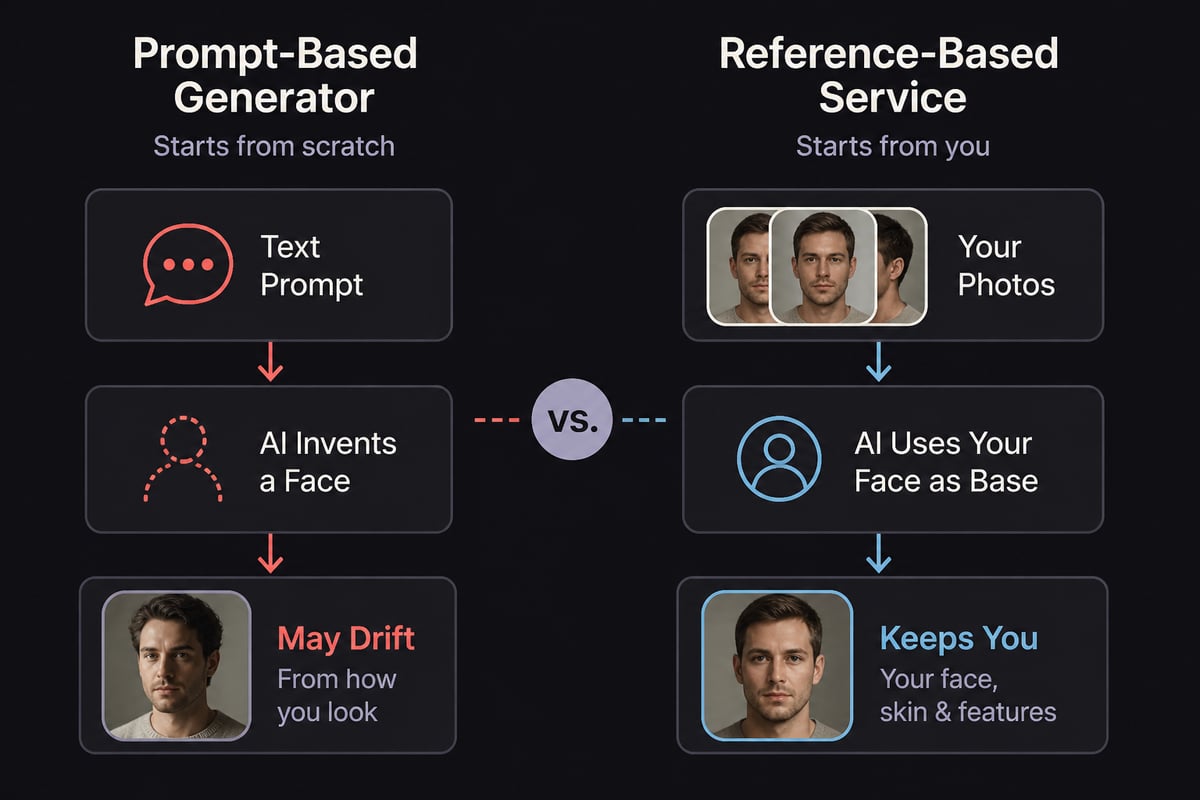
Likeness control deserves the most weight for a dating profile. General generators create a person from a prompt, which means the face is invented or approximated. A tool that works from your reference photos solves a different problem, and the two should not be confused.
For broader background on how these systems turn prompts into pictures, CMeIn's explainer on how artificial intelligence creates images is a useful primer. For software-category context, G2's comparison of AI image generator software covers collaboration, design workflows and starting prices.
Realism and Image Quality
Nano Banana currently leads on realism among the general tools. CNET's 2026 testing names it the overall pick and describes character consistency and realism as its strengths.
The other tools sit in different places:
- ChatGPT Images: Strong at following natural-language edits, which helps when you want to adjust a scene step by step.
- Midjourney: Produces distinctive, painterly and cinematic results. It is often chosen for beauty rather than documentary realism.
- Stable Diffusion: Quality varies with the model and setup you choose, which rewards technical users.
- Freepik: Offers resolution from 1K to 4K depending on the model, useful when you need larger files.
Realism in the general sense is not the same as realism of your own face. A generator can render skin texture convincingly while still producing someone who is not you. That distinction shapes the rest of this comparison.
Pricing and Value
Most generators combine a limited free tier with monthly subscriptions in the $10 to $20 range, so the real difference is how each meters usage. Figures below are approximate and may have changed.
Subscription and Credit Models
- Adobe Firefly: Standard is about $9.99 per month with 2,000 monthly generative credits. Adobe estimates up to 400 images on that plan, and paid plans include unlimited standard image and vector generations.
- Midjourney: Plans run about $10 to $120 per month, or about $8 to $96 monthly with annual billing. Basic includes roughly 200 image jobs a month, and each job produces four images. Standard adds 15 Fast GPU hours and unlimited Relax generations, and Pro adds 30 Fast GPU hours and Stealth mode.
- Ideogram: According to Ideogram's 2026 comparison, Plus costs $20 monthly or $15 monthly with annual billing, and eligible free accounts receive weekly credits whose allowance varies.
- Leonardo AI: The same comparison lists Essential at $12 per month, with a free tier that provides daily Fast Tokens. Free generations are public, which matters if you do not want your images visible to others.
- Canva: Pro is about $144 per year, or $12 per month billed annually. Canva Free includes a limited number of standard or premium AI uses shared across eligible tools.
- Freepik: About $20 per month, or about $7.25 per month billed annually under a promotion. The free tier allows a daily image limit, and the Premium annual plan includes a set number of credits per year.
- Stable Diffusion: About $10 per month through Stability AI, while other access methods vary.
- Nano Banana and ChatGPT Images: Both are free to start, with upgrades from about $20 per month.
CMeIn takes a different approach: no subscription. You buy a credit pack and pay only for what you generate, which suits someone who needs a handful of dating photos rather than a monthly stream of images. Exact pack sizes and rates are on the CMeIn pricing page.
Ease of Use and Workflow
Canva, Firefly and ChatGPT Images are generally considered easy places to begin. Canva puts generation next to templates, Firefly sits inside Adobe's creative apps, and ChatGPT Images lets you refine results in conversation.
Midjourney and Stable Diffusion ask more of the user. Midjourney rewards learning its prompt style and plan structure, since Fast GPU hours act as the real limit. Stable Diffusion offers the most control and the steepest setup, particularly for anyone running it on their own hardware. CMeIn's overview of the self-hosted AI image generator route explains the trade-offs.
For a dating profile, a short workflow beats a flexible one. You want to upload photos, choose a scene and receive images that look like you, without learning prompt syntax.

Text in Images and Design Use
Ideogram is the clearest choice when readable text is part of the image. It is built for posters, logos and graphics where lettering has to be legible, and that focus separates it from tools that treat text as an afterthought.
Freepik and Canva suit people who want generated images next to stock assets and templates. Adobe Firefly fits editors who already work in Adobe software. None of these is aimed at producing a believable photo of a specific person, and for a dating profile that capability is the one that counts.
The Best Artificial Intelligence Image Generator for Dating Photos
For dating photos, the right choice is a service built to keep your likeness, not a general generator. Matches judge a profile against the person who shows up, so a photo that smooths, slims or rejuvenates you works against you at the first coffee.
General tools can produce lovely images, but a prompt-based face is an approximation. Even Nano Banana, which CNET credits for character consistency, is a general model rather than a service designed around your own reference photos. If you want to understand what dating apps reward, CMeIn's guides on what photos work best on dating apps and the best first photo for dating apps explain which images earn attention.
Two points favor a likeness-first approach:
- Honesty with matches. A photo that looks like you removes the gap between profile and person.
- Fewer wasted generations. Starting from your own photos avoids repeated prompt tweaks to get a face that resembles you.
CMeIn AI Photos and CMeIn Headshot
CMeIn generates realistic photos from your reference images and keeps your face as it is, with no smoothing, slimming or beautifying. It places you in real places with candid framing rather than studio backdrops, which suits the social, travel and lifestyle shots that perform well on dating apps.
CMeIn AI photos builds social compositions: you, leading, inside a moment people want in on. The result is a photo with a scene around it, not a glossy portrait.
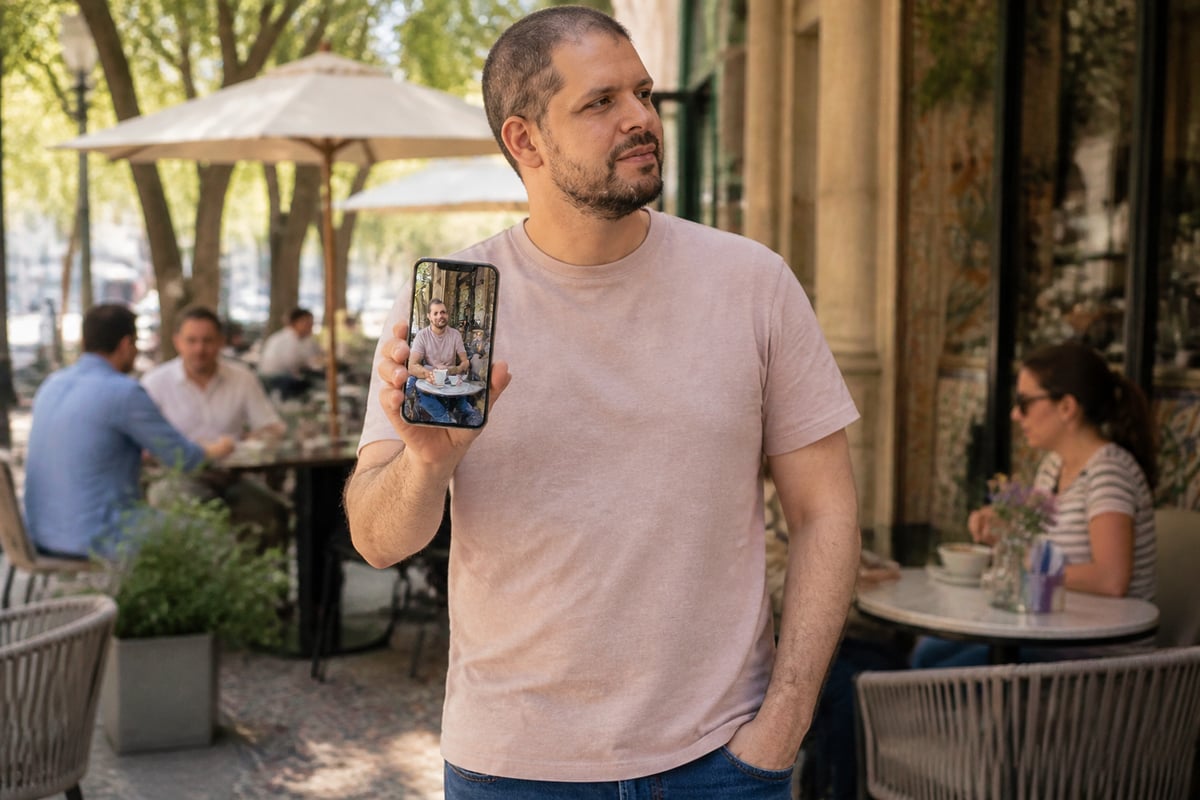
CMeIn headshot is the narrower option. You pick a background and a pose, upload one photo, and receive a clean head-and-shoulders image with the same face, skin and clothes against a plain studio backdrop. It suits a clear lead photo rather than a lifestyle shot.
Other points that matter to this audience:
- Uploads are private by default and never used to train models.
- The service works on any platform, including dating apps, LinkedIn and Instagram.
- There is no subscription, so you pay only for what you generate.
CMeIn is not designed for people who want a smoothed, slimmed or younger-looking version of themselves, or for anyone using another person's face. If either describes your goal, a general generator fits better, though the result will not represent you. For more on this category, see CMeIn's guide to the best AI photo generator for personal photos.
Which Generator Suits Which Reader
Match the tool to the job, and match the job to your goal on the app. Each pick below reflects the strengths above.
- Realistic images with consistent characters: Nano Banana, which CNET's 2026 testing praises for character consistency and realism.
- Artistic and stylized work: Midjourney, if you accept plan limits tied to GPU time.
- Posters, logos and text-heavy graphics: Ideogram.
- Adobe users who want a clear credit allowance: Adobe Firefly.
- Budget experimenting with free use: Leonardo AI, keeping in mind that free generations are public.
- Beginners and teams who want templates: Canva.
- Designers who want stock assets plus AI: Freepik.
- Conversational iteration: ChatGPT Images.
- Custom and open-source workflows: Stable Diffusion.
- Photos that look like you for a dating profile: CMeIn AI photos for lifestyle shots, or CMeIn headshot for a clean lead photo.
For a model-focused view of quality, speed and pay-per-use costs, fal's AI image generator comparison is a helpful companion. To see how CMeIn stacks up against a named alternative, the CMeIn vs Aragon AI comparison lays out the differences.
Common Mistakes When Choosing an AI Image Generator
The most frequent error is picking a tool for its output quality without checking whether it represents you accurately. A stunning image of a stranger helps no one on a dating app.
Avoid these missteps:
- Judging by prettiness alone. Compare the image to a recent unfiltered photo of yourself.
- Ignoring privacy. Check whether uploads are used for training and whether free generations are public, as they are on Leonardo's free tier.
- Paying for a subscription you will use once. If you need a few photos, a credit pack costs less than months of a plan.
- Over-polished results. Studio gloss can read as inauthentic. CMeIn's piece on the best dating profile pictures covers what feels natural.
Start by laying out three or four recent, clear photos of yourself and deciding whether you need a lifestyle shot or a clean headshot. If you want results that keep your face exactly as it is, try CMeIn headshot for a plain-backdrop lead photo, then Start with your photos with CMeIn to build a set that matches how you look in person.