Best AI Image Generators for Realistic Photos in 2026

The best AI image generator for realistic photos depends on what you need: Google Gemini with Nano Banana Pro leads for free, detailed output, Midjourney V7 for artistic quality, and Flux 2 for production workflows. For photos of yourself that must match how you look in person, general-purpose tools fall short, because they invent faces rather than preserve yours. This guide covers six well-known generators with their specs and pricing, then places two likeness-focused services by merit.
If the photos are for a dating profile, Best AI dating photo generators in 2026 compares the tools built for that.
How to Judge Realism in an AI Image Generator
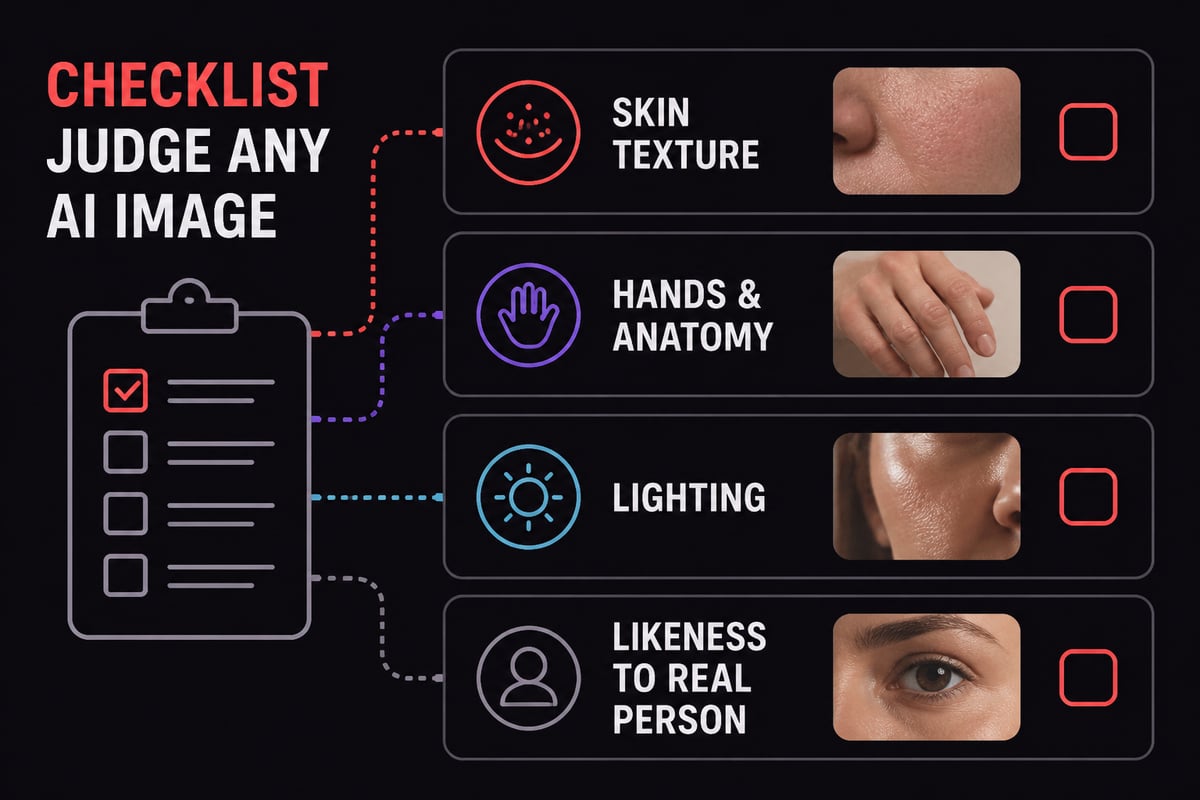
Realism in an AI image generator comes down to four measurable qualities: skin and texture accuracy, correct hands and anatomy, believable lighting, and, if the photo is of you, likeness fidelity.
Most general models are built to produce striking images, not faithful ones. That is useful for a travel poster or a product mockup. It is a problem for a dating profile or a LinkedIn photo, where the person who shows up must look like the person in the picture. Our guide to realistic photo AI generators explains why that gap matters.
Keep these criteria in mind as you read the entries below:
- Photographic texture: visible pores, natural skin tone variation, believable fabric
- Text and detail handling: legible signs, clean edges, correct fingers
- Resolution and cost control: output size and how pricing scales with it
- Likeness control: whether you can anchor the result to reference photos
1. Google Gemini (Nano Banana Pro)
Google Gemini with Nano Banana Pro is a strong free starting point for detailed, photorealistic images, particularly those containing text. Because it sits inside the Gemini app, you can generate, review and adjust a result in the same conversation without setting up an account elsewhere. A practical way to use it is to write one prompt describing the scene, then ask for specific corrections, such as fixing a sign or adding a caption, until the output matches your brief.
- Key specs: Available for image regeneration when Gemini is set to Pro; offers higher detail, text rendering and infographic support
- Price: Free inside Gemini; paid access requires a Google AI plan
- Best use: Detailed image regeneration and images that contain readable text, on a zero or low budget
- Verdict: The easiest way to test realistic generation without paying, with limited control over a specific person's face.
2. Midjourney V7
Midjourney V7 is a subscription image generator known for its stylized, artistic output and fine control over composition. Its aspect ratio range suits very different formats, from a default square post to an ultra-wide banner at 14:1, so one prompt can be reframed for several placements. Since each run returns four candidates at default settings, you can compare lighting and mood side by side before choosing which one to refine.
- Key specs: Supports aspect ratios up to 14:1; square is the default; a run generates 4 images at default settings on the cited third-party service
- Price: From $10 per month
- Best use: Artistic and stylized imagery, where mood and aesthetics matter more than a faithful likeness
- Verdict: Excellent for concept art and editorial looks, but its polish often drifts away from documentary realism.
3. Flux 2 (Black Forest Labs)
Flux 2 is a family of image models priced by resolution, built for developers and production pipelines that need predictable per-image costs. The tiers let a team match the model to the task: [max] for the highest-resolution final renders, [pro] for cheaper everyday output, and [dev] for local experimentation. Reference images are billed at $0.03 per megapixel, which matters for workflows that feed several source images into each generation.
- Key specs: FLUX.2 [max] supports outputs up to 4 MP, and [dev] is local-only open weights that are non-commercial
- Price: According to Black Forest Labs pricing, [max] costs $0.07 for the first megapixel and $0.03 for each additional one, while [pro] costs $0.03 for the first megapixel and $0.015 for each additional one
- Best use: Developers and production workflows that need model choice and resolution-based pricing
- Verdict: A strong technical pick with transparent costs; it assumes you are comfortable working through an API or local setup.
If you are weighing that route, our overview of self-hosted AI image generators covers what running models yourself involves.
4. Adobe Firefly
Adobe Firefly is a credit-based generator with image, video and audio tools, aimed at creative users who already work in Adobe software. Credits are shared across media types, so a month's allowance can be split between stills and short clips depending on the project. A designer producing a handful of campaign images and a few five-second videos can estimate usage against the plan limits before committing to a tier.
- Key specs: Standard offers 2,000 monthly credits (up to 400 images and 20 five-second videos); Pro offers 4,000 credits (up to 800 images and 40 videos); Pro Plus offers 10,000 credits (up to 2,000 images and 100 videos)
- Price: $9.99 to $49.99 per month depending on plan
- Best use: Regular creative output where a predictable monthly credit allowance suits the workload
- Verdict: A well-structured credit system for design work; it is not built around reproducing one specific face.
5. Ideogram 3
Ideogram 3 is the generator to choose when legible typography inside an image is the priority. Its three rendering options trade speed against quality: Turbo suits quick drafts at 3 credits, Default balances the two at 6, and Quality costs 9 credits for final artwork. A sensible workflow is to test the wording and layout of a poster in Turbo, then regenerate the approved version in Quality.
- Key specs: Turbo, Default and Quality rendering options, costing 3, 6 or 9 credits per image depending on the option
- Price: Ideogram Plus is $20 per month; listed API sellers charge $0.03 to $0.09 per image
- Best use: Posters, signage and graphics where text must be readable and correctly spelled
- Verdict: Best in class for text in images, less relevant for portrait realism.
6. Pexo
Pexo is a multi-model creation platform that turns generated images into video, which suits short-form content rather than standalone portraits. The image-to-video workflow lets you start from a still, such as a product shot or a scene made in another generator, and animate it into a clip for a social feed. Trial credits make it possible to check motion quality on your own material before paying the monthly fee.
- Key specs: Trial credits available; supports image-to-video workflows
- Price: From $30 per month
- Best use: Turning still images into video clips for social posts
- Verdict: Useful if motion is the end goal; it is a content tool more than a likeness tool.

7. CMeIn headshot
CMeIn headshot produces a clean head-and-shoulders portrait from a single uploaded photo, keeping your face, skin and clothes as they are. A clear, well-lit photo of your face is the best starting point, since the service keeps what is in the picture rather than inventing replacements. The plain studio backdrop also means the image works across a LinkedIn profile, a company team page and an email signature without cropping problems.
- Key specs: You pick a background and a pose, upload a photo, and receive a headshot with a plain studio backdrop; no smoothing, slimming or beautifying
- Price: See the CMeIn headshot page for current details
- Best use: A LinkedIn profile photo or work headshot where the result must still look like you at a meeting
- Verdict: A focused choice for professionals who want a believable headshot rather than a reimagined one.
For a deeper look at the category, see our breakdown of AI business photo generators and professional headshots that feel like you.
8. CMeIn AI photos that look like you
CMeIn's AI photo service places you, front and center, in real-looking scenes built from your reference photos, which makes it the better fit for dating profiles and social media. Varied references, such as a close-up, a half-body shot and a full-length photo, give the service more to work from and help scenes stay consistent with how you actually look. Because you pay per generation from a credit pack, you can build a small set covering a travel shot, a cafe scene and an outdoor photo without committing to a monthly plan.
- Key specs: Real places and candid framing rather than studio backdrops; your face stays as it is; uploads are private by default and never used to train models
- Price: No subscription; you buy a credit pack and pay only for what you generate (see the pricing page for current rates)
- Best use: Dating app photos, Instagram and travel-style images that must match how you look in person, on any platform
- Verdict: The best fit here for singles who want honest, believable photos; it is not meant for anyone who wants a retouched or younger-looking version of themselves.
The photo type options show the scene styles available. If you are building a profile from scratch, our notes on what photos work best on dating apps pair well with this approach.

Best AI Image Generator Comparison Table
This table compares all eight options on the attributes that matter most for realistic photos.
| Generator | Approx. price (Nov 2026) | Standout spec | Best for |
|---|---|---|---|
| Google Gemini (Nano Banana Pro) | Free; paid via Google AI plan | Strong text rendering and detail | Free detailed generation |
| Midjourney V7 | From $10/month | Aspect ratios up to 14:1 | Stylized, artistic images |
| Flux 2 | $0.014 to $0.07 per first MP | Up to 4 MP output on [max] | Developers, production |
| Adobe Firefly | $9.99 to $49.99/month | 2,000 to 10,000 monthly credits | Credit-based creative work |
| Ideogram 3 | $20/month Plus; $0.03 to $0.09 per image via API | 3 rendering tiers | Text in images |
| Pexo | From $30/month | Image-to-video workflow | Turning images into video |
| CMeIn headshot | See product page | Single-photo headshot, face kept | LinkedIn and work photos |
| CMeIn AI photos | Credit pack, no subscription | Candid real-place scenes | Dating and social photos |

Which Is the Best AI Image Generator for You?
The best AI image generator is the one matched to the job, and the job usually falls into one of four groups.
- Free and detailed: Start with Gemini and Nano Banana Pro.
- Artistic or typographic: Midjourney V7 for style, Ideogram 3 for text.
- Technical or high volume: Flux 2 or Adobe Firefly, depending on whether you prefer per-megapixel or monthly credit pricing.
- Photos of yourself: A likeness-first service, since general generators have no reliable way to keep your real face.
OpenAI's image models are another route for developers. OpenAI lists GPT-Image-2.6 image-token pricing at $8 per million input tokens and $30 per million output tokens, so cost depends on prompt and output size rather than a flat fee.
The practical gap for personal photos is consistency. A model that invents a face that does not resemble you can undermine a dating profile, because the mismatch becomes obvious when you meet. The same applies to a work headshot. Our guide to AI photos that look authentic lists what to check before you publish one.
For creators who also manage brand work alongside their images, Guapp offers a brand deal tracker covering payments, pricing and paperwork. And if you produce video or LED display content from generated visuals, LEDHUB.TECH offers video controllers and processors for output hardware.
Your next step is simple: pick one clear, recent photo of yourself and decide whether you need a headshot or a set of candid scenes. If the goal is a profile photo that looks like you, try CMeIn headshot for work images, or the broader service for dating and social photos. Start with your photos and see how your own face holds up across different settings.