AI Scene Photo Generator: Changing Backgrounds Instantly
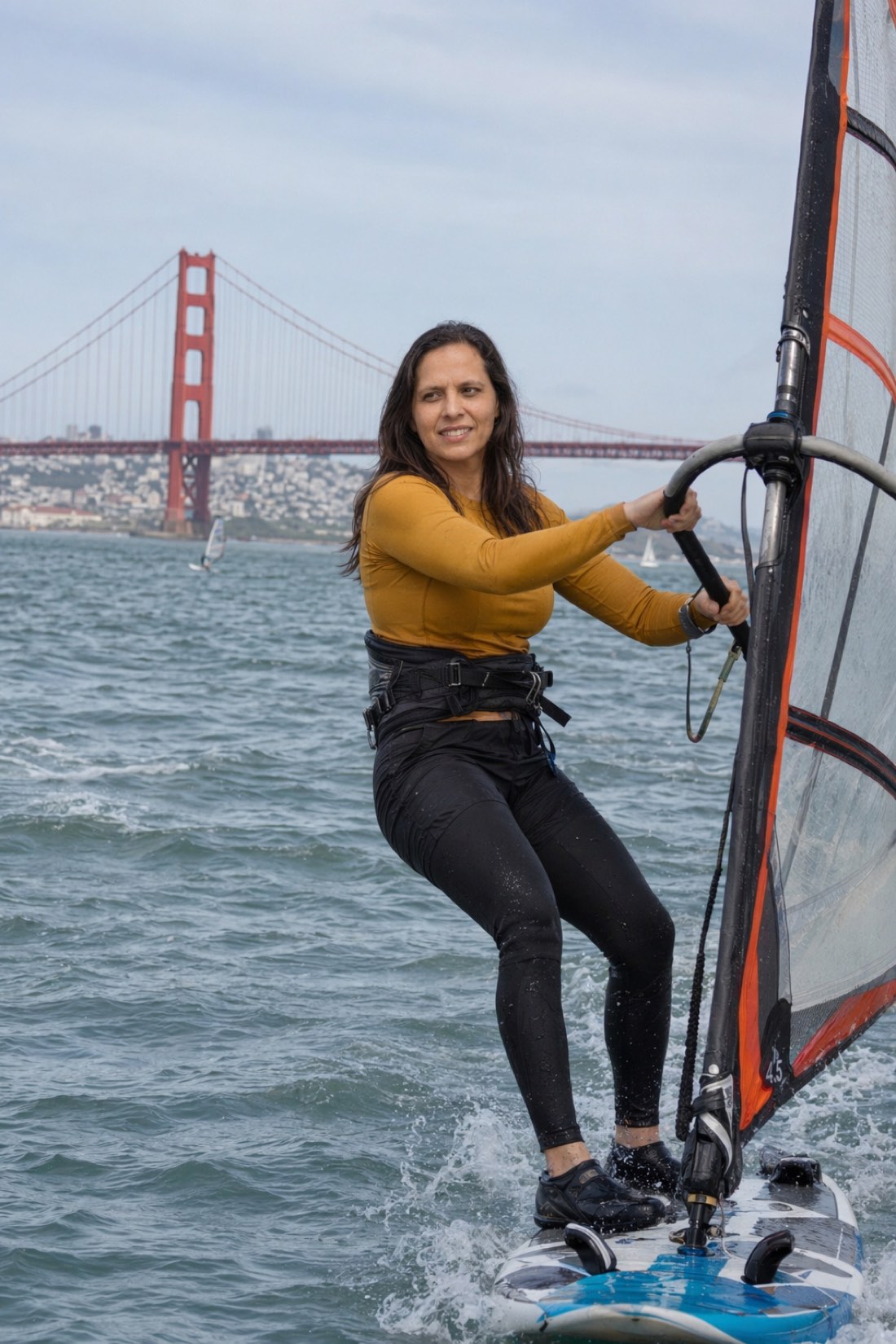
The phrase "background changer" undersells what is actually possible now. Cutting you out of a photo and dropping a beach behind you is technology from a decade ago, and it always looked like it: the light on your face belonged to your kitchen while the backdrop claimed golden hour. A scene generator does something categorically different. It builds the entire moment around you.
Here is the difference, why it matters, and how to use it.
A scene is not a backdrop
Look at what a real scene contains. Light that falls on everything consistently, including you. Perspective that puts you at a believable distance from the camera. Other people, mid-motion, ignoring the camera. Objects you are actually interacting with: a boom, a coffee cup, a bike.
A background swap fakes none of that convincingly, because it only replaces pixels behind a cutout. A scene generator creates the photo as one piece, so the fog rolling over a bridge, the spray off the water, and the light on your face all come from the same world.
One woman, four worlds
The whole point of scene generation is range from a single set of reference photos:


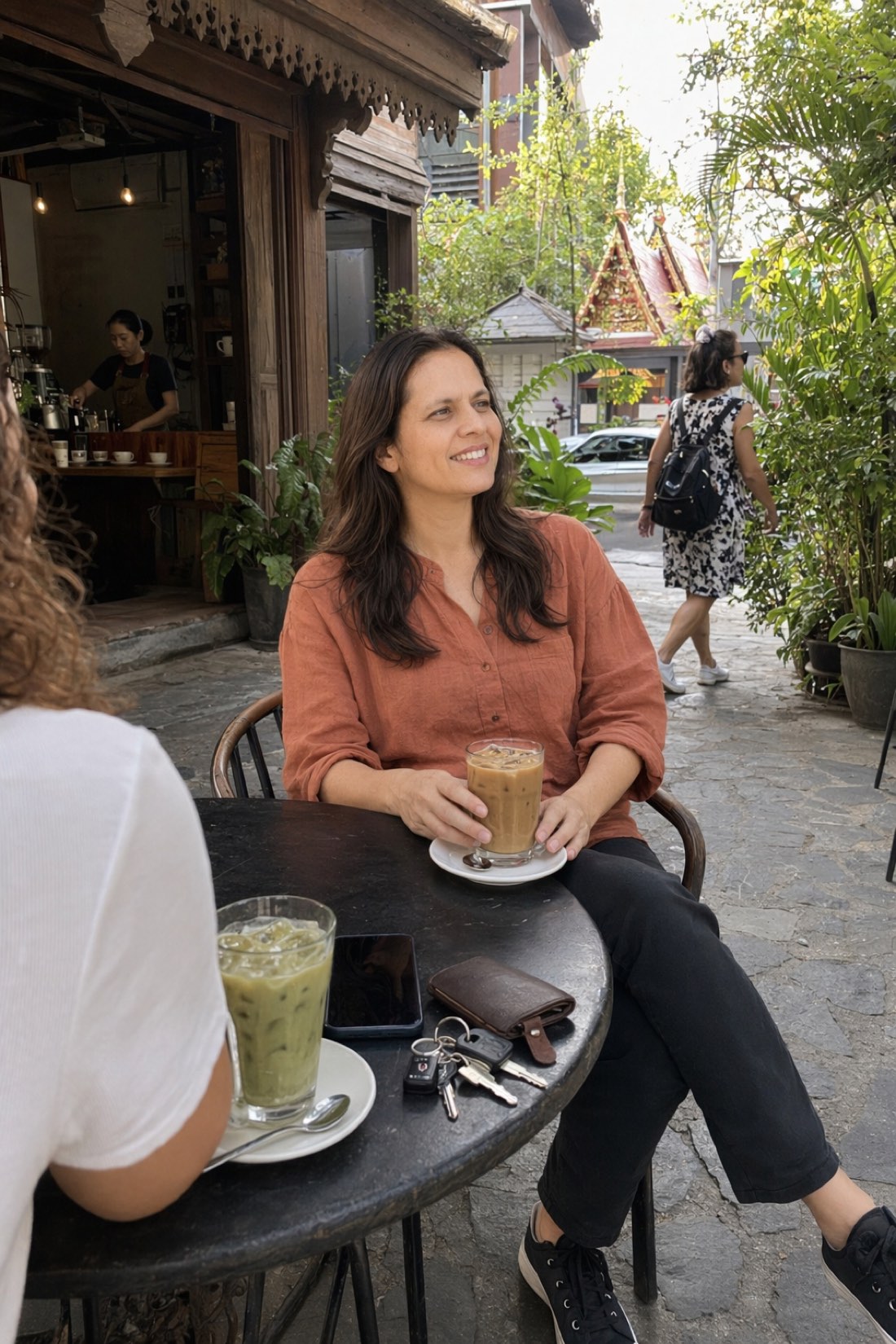
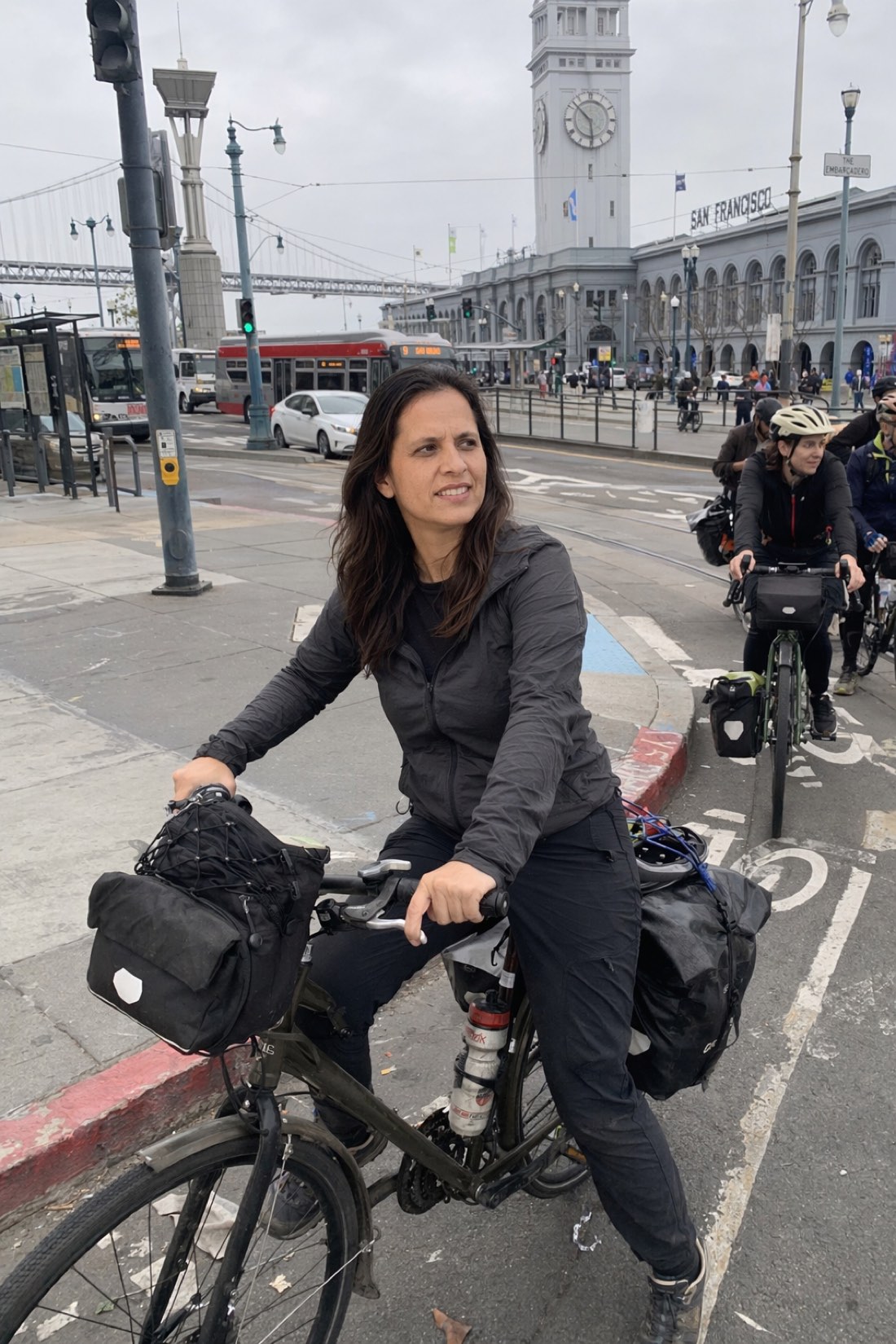
A club, a yoga studio, a café in Southeast Asia, a city commute. Same person, and in every frame the light and the crowd belong to the scene.
Notice what makes these read as real: she is never pasted in front of the setting. She is inside it, sharing its light, surrounded by people who live there. That is scene generation working.
How it works with CMeIn
CMeIn is scene-first by design. The flow:
- Upload reference photos. Clear, recent shots of yourself, full face visible, taken a normal distance away. These can be from anywhere; the original backgrounds do not matter.
- Pick your scenes. Dating, social, travel, sport, everyday life. Each one is a full setting, not a wallpaper.
- Generate. You come back as a natural participant in the moment: correct light, correct perspective, real crowd, your real face.
Two design choices keep the results believable. Your identity is preserved across every scene, the same geometry and proportions everywhere, which is covered in depth in how AI preserves faces. And the framing stays candid: you are part of the scene, not a centered cutout posing in front of it.
What to check in any scene result
Whatever tool you use, judge a generated scene on four things:
- Light direction. Does the sun or lamp hitting the scene also hit you, from the same side, at the same warmth?
- Edges. Cutout tools leave halos around hair and shoulders. Generated scenes have no seams, because there was never a cutout.
- Contact points. Feet on the ground, hands on the object. Floating is the giveaway.
- The crowd. Other people should be as sharp, as lit, and as real as you are.
If a result passes those, the scene will hold up anywhere you post it.
Change your scenery
You do not need to be anywhere interesting to have photos from everywhere interesting.
- See generated scenes in the public examples.
- Then check the credit packs, upload a few clear reference photos, and pick your first scenes.
Related reading: AI Photo Pack Generator, Create Travel Photos with AI.